
Everyone
Install Lobtix on your phone
Add Lobtix to your home screen on iPhone or Android, and how updates reach you.
Lobtix runs in your browser — there’s nothing to download from the App Store or Google Play. Adding it to your home screen gives you an icon like any other app, opens it full screen without the browser bars, and makes push notifications more reliable.
The steps differ on iPhone and Android, so pick your phone below.
iPhone and iPad
Section titled “iPhone and iPad”- Open app.lobtix.com in Safari. This only works in Safari — other browsers on iPhone can’t add Lobtix to your home screen.
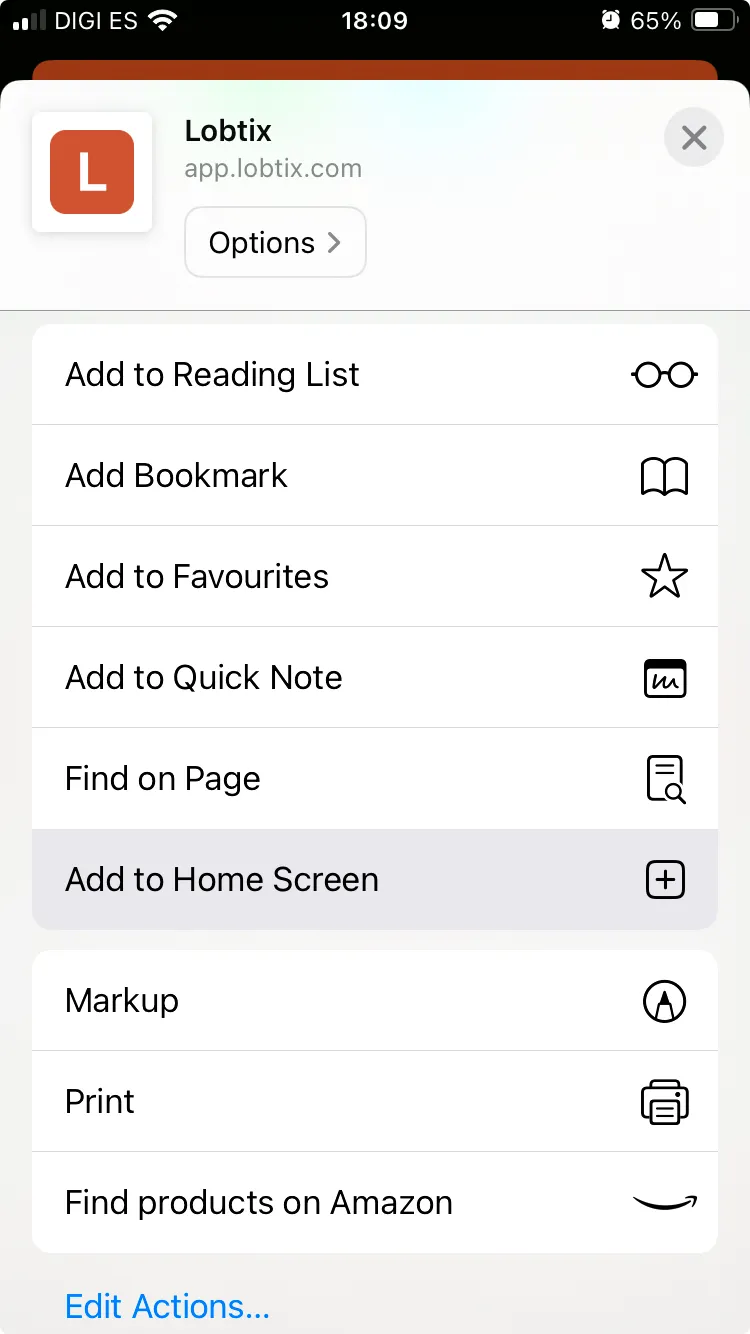
- Tap the Share button in the toolbar — the square with an arrow pointing up.
- Scroll down the list and tap Add to Home Screen.
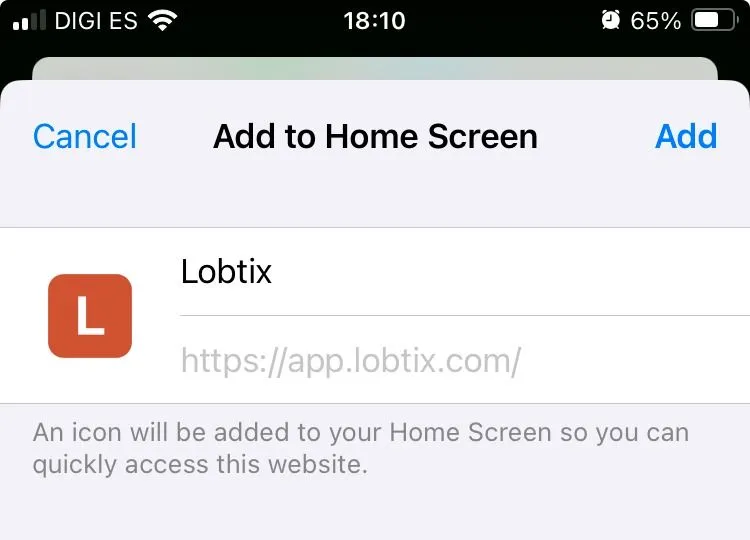
- Tap Add in the top right. Lobtix appears on your home screen as Lobtix.
Android
Section titled “Android”- Open app.lobtix.com in Chrome.
- Tap the ⋮ menu in the top right.
- Tap Install app. Some versions of Chrome call this Add to Home screen.
- Confirm with Install. Lobtix appears on your home screen and in your app drawer.
Keeping the app up to date
Section titled “Keeping the app up to date”Because Lobtix doesn’t come from an app store, there is nothing to update by hand — new versions arrive on their own.
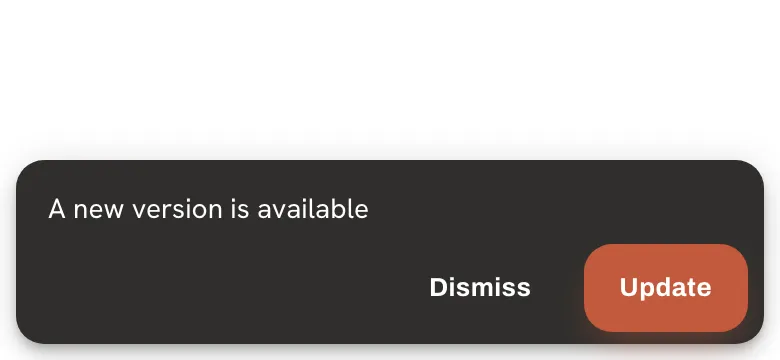
When one is ready, a bar appears at the bottom of the screen: A new version is available.
- Update switches straight away. The app reloads on the new version, which takes a second — so finish anything you’re part-way through first.
- Dismiss keeps you on the version you’re using. You’ll see the prompt again next time you open the app.
Lobtix looks for a new version when you open it, when you switch back to it, when your connection comes back, and every half hour while it’s open.
Can't find what you're looking for? Our team is happy to help.