
For members
Book a court
Pick a day, court and time, choose duration, and confirm in a few taps.
Booking a court takes under a minute once you’ve joined a club. Here’s the full flow.
Pick your day and time
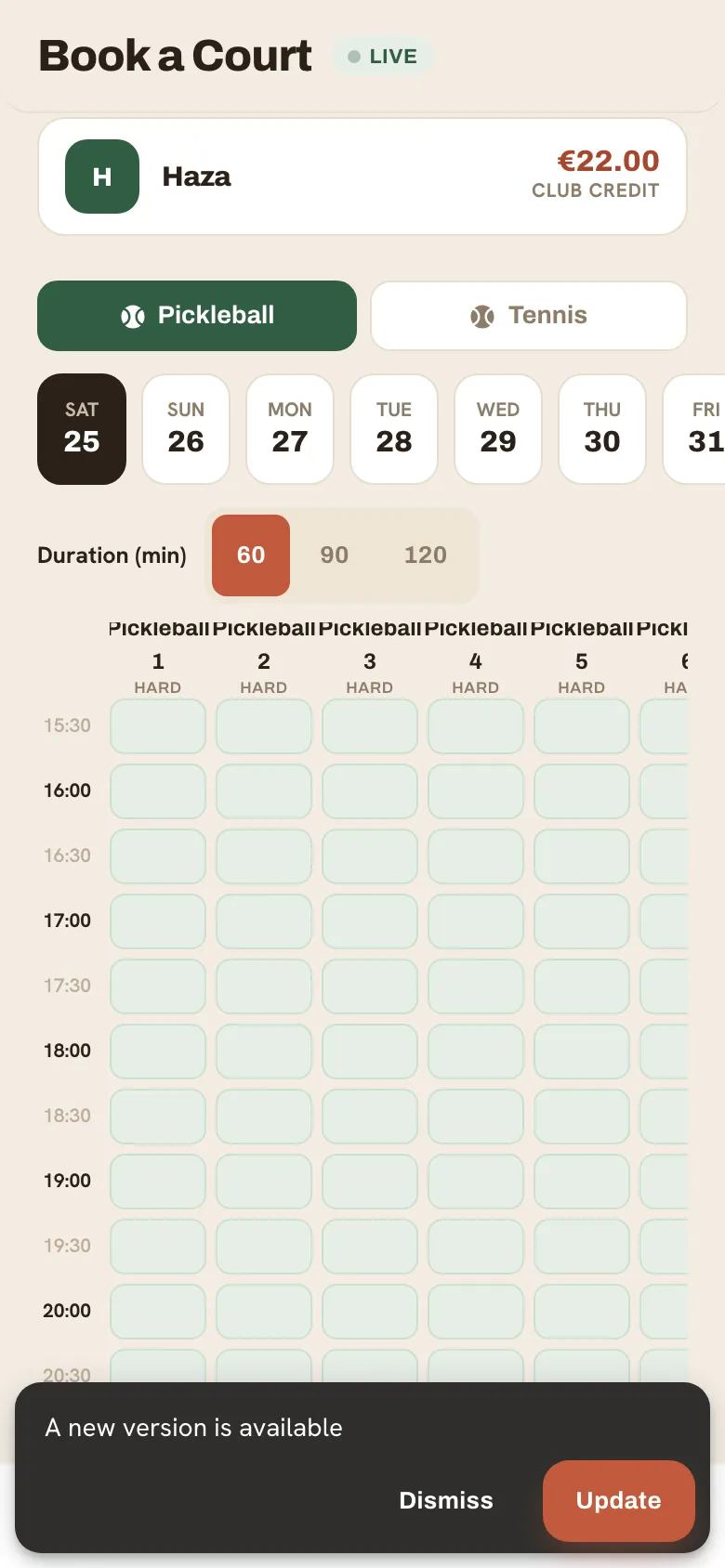
Section titled “Pick your day and time”- Open the Book tab. The date pills across the top show the next two weeks — green dots mean courts are still free.
- Choose a day, then scan the grid. Green cells are available, sand cells are already booked, and hatched cells are outside opening hours.
- Tap a free slot. Selected slots turn clay.
Set duration and type
Section titled “Set duration and type”- Use the segmented control to choose 60, 90 or 120 minutes. The grid extends your selection automatically.
- Pick singles or doubles — this sets how a shared court’s cost is split, not the price.
- Optionally invite your partner to split the cost.
Review and confirm
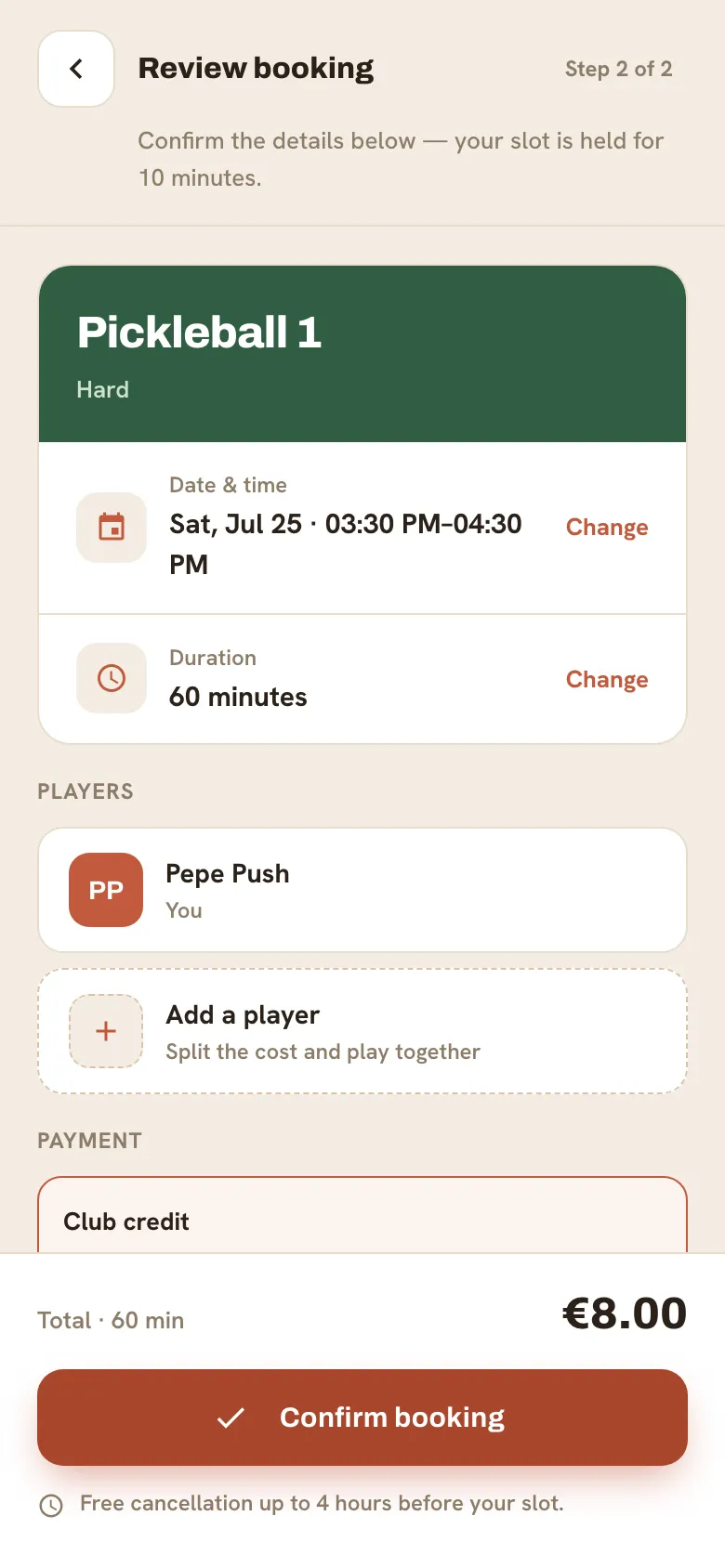
Section titled “Review and confirm”The review screen shows the club, court, surface, date, time, duration and price. Check the club name and time carefully, then tap Confirm booking. You’ll get a confirmation and it appears under “Next on court” on your home screen.
Still need a hand?
Can't find what you're looking for? Our team is happy to help.