
For admins
Invite members & manage roles
Add members, assign roles, and remove access when needed.
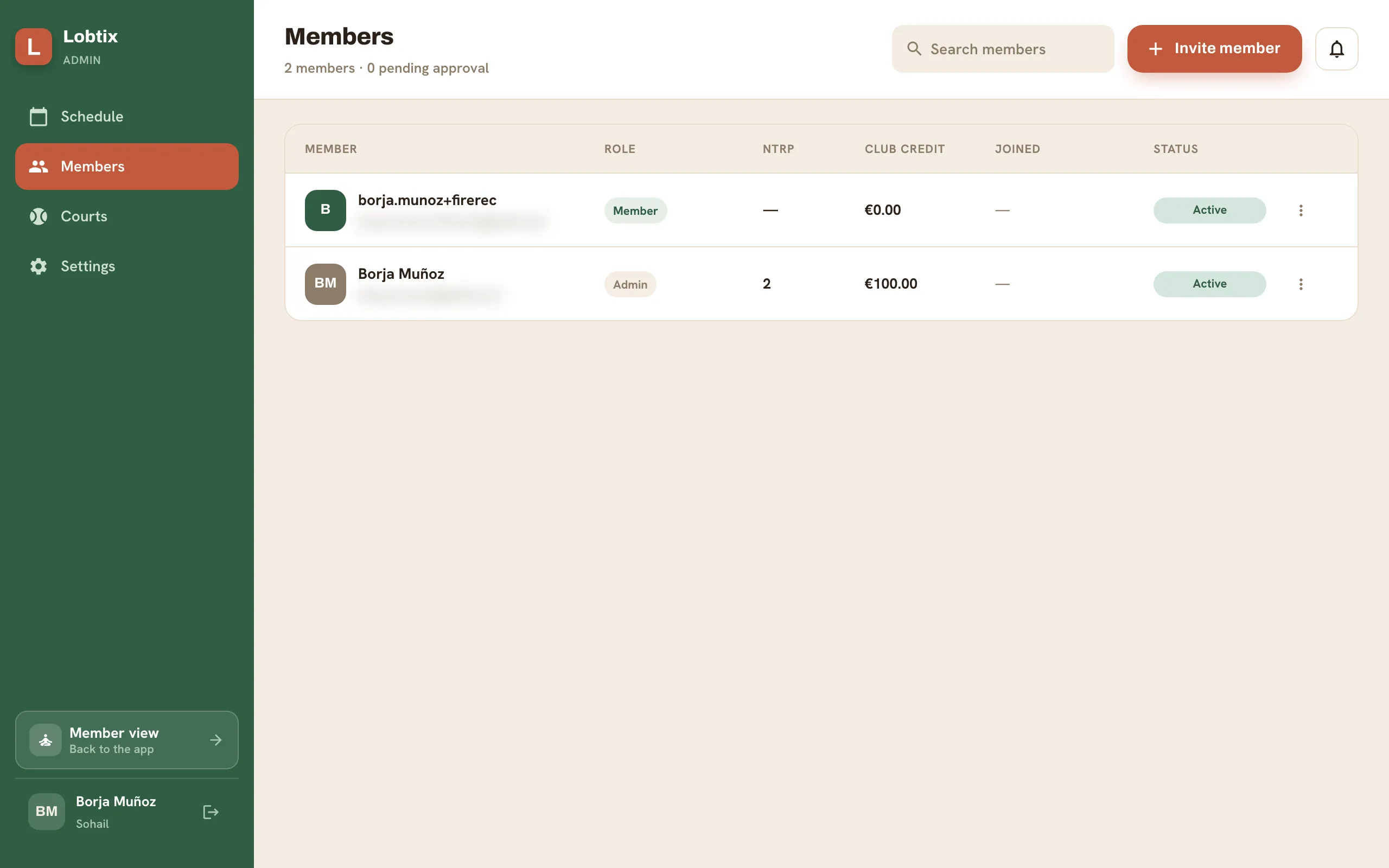
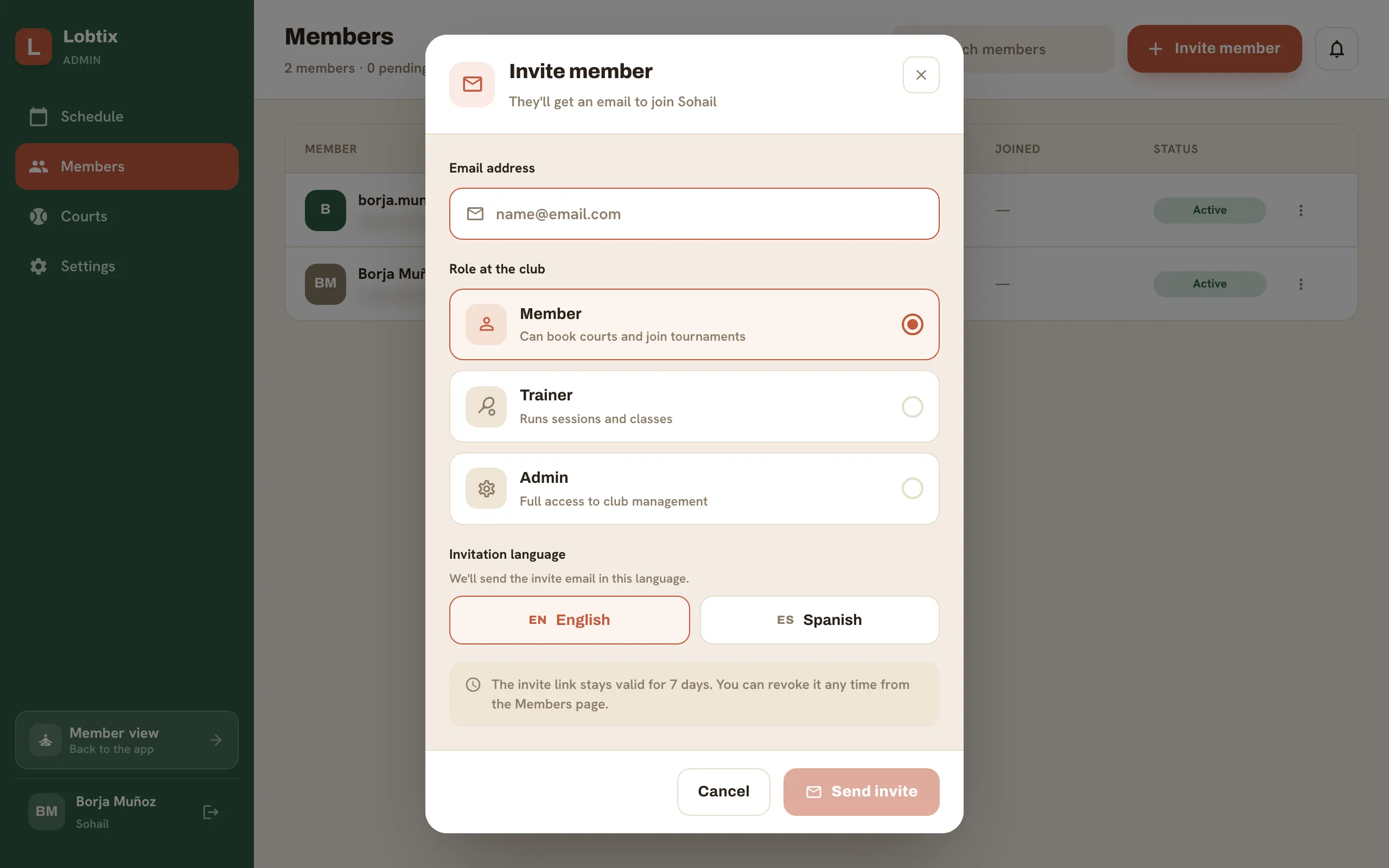
- Go to Admin → Members → Invite.
- Enter emails or share the join link, and set each person’s role.
- Change a role or remove a member from their row menu at any time.
Still need a hand?
Can't find what you're looking for? Our team is happy to help.